Spotify 头像下载器
粘贴 Spotify 艺术家或用户个人资料链接即可立即下载可用的个人资料图片。没有登录,也没有验证码。
使用此 Spotify PFP 下载器以最佳可用尺寸保存艺术家个人资料图像、用户个人资料照片和个人资料图片。
- Spotify 个人资料图片下载器
- Spotify PFP 下载器
- 无需验证码
- 高分辨率图片选项
Spotify 头像下载器
For profile picture, PFP, artist image, and user photo searches. Paste one public profile link, then save the best available image with No Captcha.
下载 Spotify 个人资料图片
Artist or user profile URL
Spotify 头像下载器
No login and No Captcha
下载 Spotify 艺术家个人资料图片
Best available image size
适合
- Spotify 个人资料图片下载器
- Spotify PFP 下载器
- Download Spotify profile picture
- Download Spotify artist profile picture
- Spotify profile picture viewer
清晰的保存文件名
Files save with short names such as artist-name.jpg.
如何复制 Spotify 个人资料链接
下载 Spotify 头像前,使用同样的 Spotify 分享流程复制艺人或用户个人资料 URL。
01

打开 Spotify 个人资料
打开包含要保存的个人资料图片的 Spotify 艺术家页面或用户个人资料。
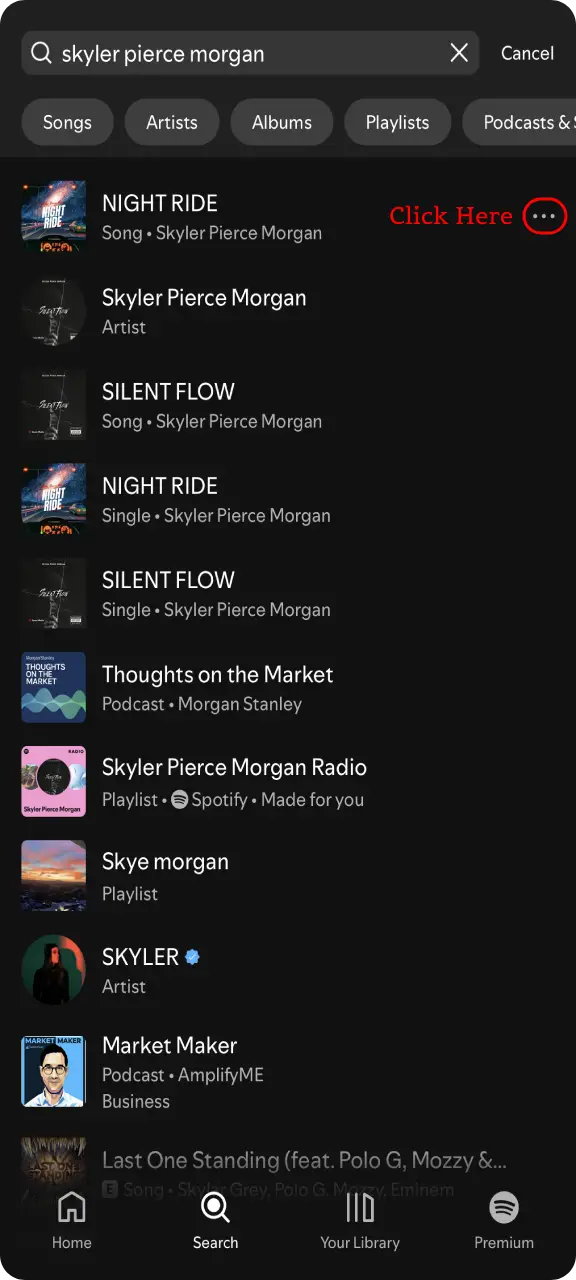
02
在 Spotify 个人资料上点击分享
使用共享图标或三点菜单,以便 Spotify 显示配置文件共享选项。
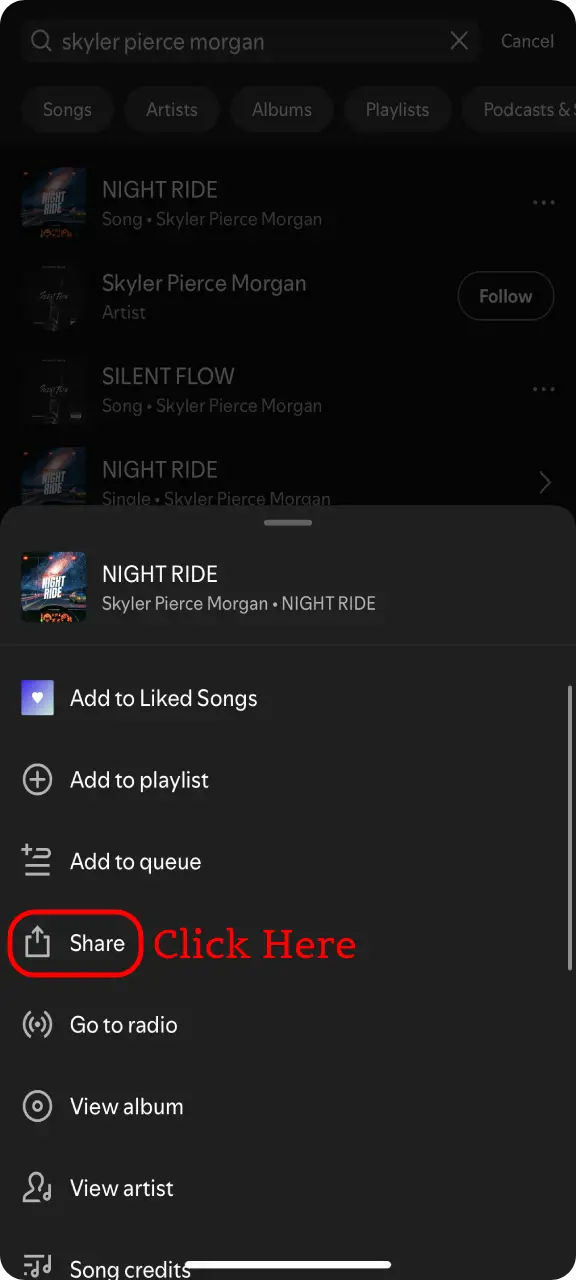
03
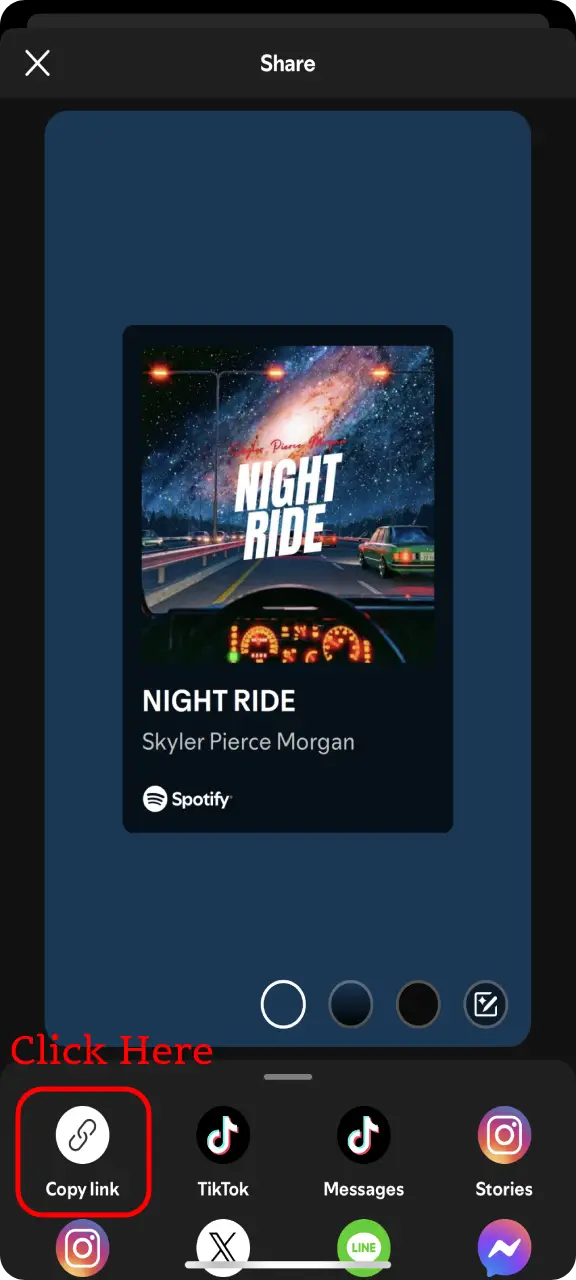
复制 Spotify 个人资料链接
点击复制链接,然后将 Spotify 艺术家或用户个人资料 URL 粘贴到 Spotify 个人资料图片下载器中。
可以。粘贴公开的 Spotify 艺人资料链接,工具会显示可用图片尺寸。
可以。此页面专为 Spotify PFP 和头像搜索设计,支持艺人和用户个人资料链接。
不需要。下载器使用公共 Spotify 页面数据,因此您不需要连接 Spotify 帐户,并且没有验证码。
某些 Spotify 个人资料不会在页面数据中公开图片。请尝试其他公开个人资料链接,或在 Spotify 上检查该资料。