Launch your own distribution business with SpaceMedia

Snapchat music library for free

Use SpaceMedia to release music on Snap with channel-focused setup for audio, artwork, metadata, rights details, and launch timing.

Publish to Snap See all DSPs

250+ DSP network

  • Spotify
  • Apple Music
  • Deezer
  • TIDAL
  • SoundCloud
  • Amazon Music

Browse channel-specific release pages for platform metadata, localized alternates, and clear upload guidance.

Why release on Snap?

Snap music distribution matters for artists who need to reach Snap users adding music to stories, lenses, and short personal videos through snaps, stories, lenses, creator videos, and camera-first music discovery. SpaceMedia keeps the setup focused on Snap metadata, rights control, and delivery readiness.

Useful for artists who want Snap in a practical worldwide release plan with clean metadata and organized delivery.

Publish to Snap

How to upload music to Snap

01

Prepare your Snap release

Create a SpaceMedia release for Snap, then add your audio, artwork, artist name, contributors, ISRC, UPC, and release date.

Publish for free
02

Choose Snap

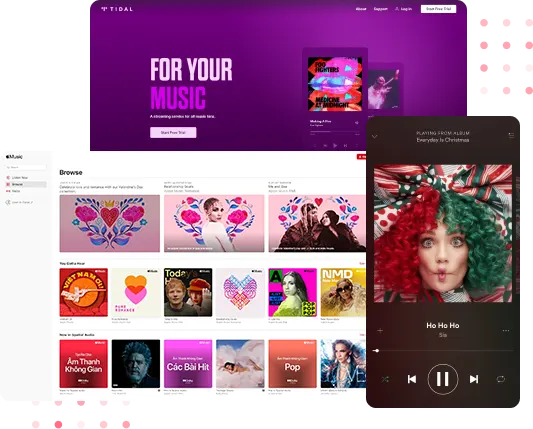
Select Snap during distribution setup and review the metadata before submitting the release.

Publish for free
03

Promote your Snap release

After approval and delivery to Snap, use your channel link, artist profile, and smart links to send fans to the release.

Publish for free

Snap release checklist

Free Snap distribution

Start on the free SpaceMedia plan and prepare eligible Snap delivery without upfront distribution fees.

Keep control of your Snap release

You stay in control of the rights, artist identity, and release metadata behind your Snap delivery.

Snap delivery readiness

Prepare Snap delivery with clean release data, review-ready metadata, and organized royalty tracking.

Prepare Snap delivery with final audio, cover art, credits, ISRC or UPC data, and a release date that fits your launch plan.

Use Snap to support social and creator-platform reach for Snap users adding music to stories, lenses, and short personal videos, with metadata aligned to the keyword group Snapchat music library.

Connect Snap availability with smart links, royalty tracking, and related DSPs such as TikTok, Instagram, YouTube Shorts so fans can find the release in the right places.

Snap distribution FAQ

Yes. SpaceMedia lets you prepare Snap delivery through a free release workflow with audio, artwork, artist credits, rights details, and clean metadata in one place. For Snap, this matters because the channel is tied to snaps, stories, lenses, creator videos, and camera-first music discovery and should be planned around Snap users adding music to stories, lenses, and short personal videos. For Snap, focus on snaps, stories, lenses, creator videos, and camera-first music discovery. It helps reach Snap users adding music to stories, lenses, and short personal videos. Best for youth-focused campaigns, quick hooks, and camera-first fan sharing.

Before you upload music to Snap, prepare the final master, cover artwork, artist name, featured artist credits, ISRC or UPC data, explicit tags, and a realistic release date. Use the Snapchat music library keyword group as a reminder that fans and artists search for practical upload guidance, not generic distribution claims.

Snap can help you reach Snap users adding music to stories, lenses, and short personal videos. That makes Snap music distribution useful when your release needs social and creator-platform reach, accurate metadata, and a launch plan that fits how people actually discover music through Snap.

Yes. Most artists should treat Snap as part of a wider release stack, especially when related destinations such as TikTok, Instagram, YouTube Shorts fit the same audience or listening behavior. SpaceMedia keeps Snap delivery connected with your wider catalog, smart links, and royalty workflow.

Avoid delays by keeping the Snap release title, artist spelling, version names, artwork, contributor data, and rights ownership consistent before submission. SpaceMedia helps organize those checks so Snap receives cleaner release data and the page stays focused on verified delivery guidance.

Ready to publish to Snap?

Prepare your Snap release around Snapchat music library, submit clean metadata, and use SpaceMedia to keep delivery and royalties organized.